Skip to content
Jet & Jot

02 — Best Travel Gear

The Best Travel Routers

Hotel Wi-Fi gives you one login and asks you to pick which device gets it. A travel router makes that one login into a network of your own — and the better ones make it a private one.

By Stephen V.Updated How we choose
#ad

We earn a commission when you buy through our Amazon links, at no extra cost to you. It never changes the pick, and we say plainly when the cheaper option is the better buy. How this works.

Our pick

Best overall

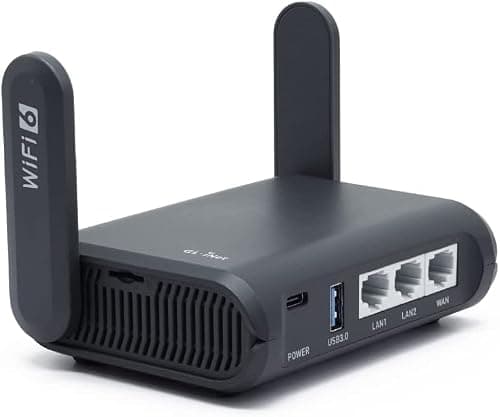
GL.iNet GL-MT3000 Beryl AX

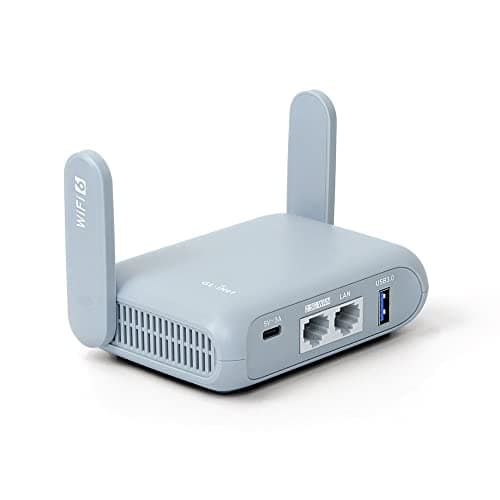
The one to buy if you only buy one: Wi-Fi 6, a 2.5G port and a real VPN client in something the size of a deck of cards.

$98.99View on Amazon

Price as of October 21, 2026. Prices change — Amazon's is the one that counts.

#ad · we may earn a commission from this link to GL.iNet GL-MT3000 Beryl AX

Why it wins, and who should skip it ↓

The thing a travel router fixes is not slow Wi-Fi. It is the one-device login. Hotel and cruise networks almost always authenticate per device: you accept the terms on a laptop, and the phone, the tablet and the streaming stick are all still outside. A travel router logs in once, as a single device, and then hands out its own Wi-Fi to everything you carry. That is the whole product. Speed, Wi-Fi 6, Wi-Fi 7 and the rest are refinements on a box that has already done its job the moment the second device connects without a second login.

What you are actually buying

Three problems sit behind every purchase in this category, and they are worth separating because the cheap picks solve one of them and the expensive picks solve all three.

  • The login problem. One paid or per-device session, several devices. Every router on this page solves this, including the cheapest.
  • The trust problem. A hotel network is a network you share with strangers. A router with a VPN client encrypts everything behind it in one place, so the phone and the tablet are covered without installing anything on them. Four of the five picks here do this; the cheapest does not, and we say so on its card.
  • The continuity problem. Your devices stay paired to one network name with one password for the whole trip, so a printer, a Chromecast or a smart-home gadget that expects a stable network keeps working across hotels. This is the quiet reason long-stay travelers end up owning one.

If you can only establish one fact about the recipient before buying, find out whether they travel with more than two connected devices. Below that, this is a nice-to-have. At three or more — laptop, phone, tablet, watch, earbuds case, a partner’s phone — it stops being a gadget and becomes the thing that makes the room usable.

The honest warning, up front

This is a setup-required gift, and that is the single biggest reason it goes wrong. Every router here needs ten minutes with an admin page the first time: connect to it, tell it which upstream network to join, give it a name and a password. On a captive-portal network — the kind with a “click here to accept” splash screen — there is sometimes a further step where you clone a device’s MAC address so the portal recognizes the router. None of that is hard. All of it is the difference between a gift that gets used on the next trip and a gift that stays in the box.

So the rule we would apply: buy this for someone who has, at some point in their life, voluntarily changed a setting on their home router. For anyone else, the better gift in this general direction is a travel power bank or a tech organizer — same recipient, same shelf of their bag, no configuration.

How we picked

Five criteria, in the order they matter to someone buying this for another person rather than for themselves.

  • Does it have a VPN client? Not “does it work with a VPN” — does the router itself hold the tunnel, so the devices behind it need no apps and no logins. This is the feature that separates a $30 box from a $100 one, and it is the one worth paying for.
  • Will it cap a fast line? Hotel internet has got genuinely quick in the last few years. A single-band 2.4 GHz router will throttle a 300 Mbps line to a fraction of it. Dual-band and a gigabit-or-better WAN port are what stop the gift from being the slow part of the setup.
  • How does it get power? USB-powered is the right answer for travel: it runs off a laptop, a power bank or the same charger as everything else. A dedicated wall brick is one more object and one more plug in a room that has two sockets.
  • How many devices, honestly? Manufacturer device counts describe how many clients can associate, not how fast they will all be. We treat them as headroom claims rather than promises, and the cards say so.
  • Does the recipient have to understand it? Weighted heavily. A touchscreen that toggles the VPN without a laptop is worth more to most gift recipients than a faster radio.

We compile published specifications, manufacturer documentation and retailer listings — we do not run a network lab, and we do not pretend to. Where a figure is not published, this page says that rather than estimating it. One concrete example: GL.iNet publishes an “up to 1,100 Mbps VPN speed” figure for its Beryl 7 and Brume 3, and not for the Beryl AX we rank first — so you will not find a VPN throughput number on our top pick, because there is not an official one to quote.

Wi-Fi 6, Wi-Fi 7, and what actually changes

The generation on the box is the most prominent number and the least useful one. Here is the short version for a buyer.

Wi-Fi 5 (AC) is still fine for the login problem. Our budget pick is an AC1200 device and it will serve a laptop and two phones in a hotel room without anyone noticing a limit. It is the cheapest way to get a VPN client into the equation.

Wi-Fi 6 (AX) is the sensible default in 2026. The gain that matters on a shared network is not raw speed — it is OFDMA and MU-MIMO, which let the router talk to several devices in the same airtime instead of queueing them. A hotel room with five devices is exactly the congested, many-small-requests situation Wi-Fi 6 was designed for.

Wi-Fi 7 (BE) is a spec-sheet purchase for most travelers. It needs Wi-Fi 7 clients to do anything, and the uplink — a hotel’s shared internet connection — is the bottleneck long before the local radio is. We rank a Wi-Fi 7 model here, but for its touchscreen, which is a usability feature, rather than for the radio.

The VPN part, in plain language

This is where the category earns its price, so it is worth being precise about what it does and does not do.

A travel router with a VPN client holds the encrypted tunnel itself. You load a configuration file from a VPN provider once, and from then on every device that joins the router’s Wi-Fi goes out through that tunnel — the phone, the tablet, the console, the smart TV in the rental, including devices that cannot run a VPN app at all. That is a genuinely different product from installing a VPN app on a laptop, and it is why people who work on the road buy these.

What it does not do: it does not make a slow hotel line fast, it does not make you anonymous, and it does not come with a VPN subscription. The router is the plumbing; the service is separate and is an ongoing cost the recipient will be paying. If the gift is meant to be complete on the day it is opened, that is worth knowing — the router works fine as a plain network-sharing device without any subscription, and the VPN half can be added later.

Where it is not a router you want

Two honest limits. On a cruise ship, satellite internet is metered and often per-device by design; a router can share one cabin’s session across devices, but it cannot create bandwidth that the ship is rationing, and some lines’ terms address device sharing directly — check before assuming. And on a plane, in-flight Wi-Fi is bought per device per flight and there is no socket to run a router from in most economy cabins, so the listings that mention “plane connectivity” are describing a theoretical capability rather than a normal use.

Also worth saying plainly: if the recipient’s complaint is “there is no signal in my hotel room,” a travel router is the wrong gift. It re-shares the network it can reach; it does not reach further than the laptop already does. A phone with a good data plan and a hotspot is the better answer to that problem.

Which one for which recipient

They work from hotels and you want one safe answer. The Beryl AX. Wi-Fi 6, a 2.5G WAN port so the router is not the slow part, USB-C power, a USB 3.0 port for tethering a phone when the hotel line is hopeless, and the full OpenWrt VPN story. It is the pick we would buy for ourselves.

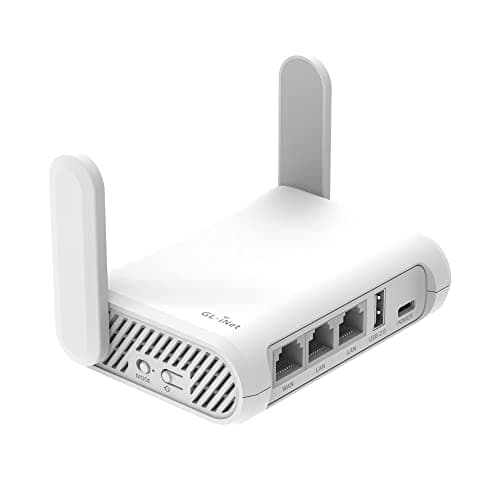
You want the VPN capability at the lowest honest price. The Opal. Wi-Fi 5 rather than 6, but it does the login job, holds a VPN tunnel, and is USB-powered. It is the version of this gift that fits a normal gift budget rather than a gadget budget.

It is for a family or a group. The Slate AX, for MU-MIMO and the headroom — with the caveat on its card that a device ceiling is not a bandwidth promise.

They love gadgets and will enjoy the object. The Slate 7. The touchscreen is the only real answer anyone has given to “I have to open a laptop to turn the VPN on,” and that is worth more day to day than the Wi-Fi 7 radio it is sold on.

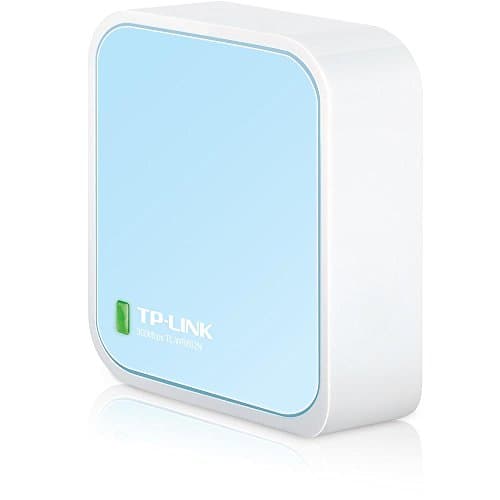
It is a stocking filler. The TP-Link nano. It shares a login and nothing else — no VPN, 2.4 GHz only — and at its price that is an honest trade rather than a compromise. Just do not buy it if privacy was the reason you were shopping.

If the recipient is a long-stay traveler or works remotely, this pairs naturally with our gifts for digital nomads and the business traveler list, where the rest of the mobile-office kit lives.

The short answer

Quick picks

#GiftBest forScorePrice
01
GL.iNet GL.iNet GL-MT3000 Beryl AX
GL.iNet GL-MT3000 Beryl AX

The one to buy if you only buy one: Wi-Fi 6, a 2.5G port and a real VPN client in something the size of a deck of cards.

The traveler who works from hotels and wants it to just hold
8.2
$98.99Amazon
02
GL.iNet GL.iNet GL-SFT1200 Opal Travel Router
GL.iNet GL-SFT1200 Opal Travel Router

Turns one paid hotel Wi-Fi login into a private network for every device they carry.

Digital nomads and long-stay hotel travelers
8.4
$39.99Amazon
03
GL.iNet GL.iNet GL-AXT1800 Slate AX
GL.iNet GL-AXT1800 Slate AX

The one built for a room full of devices — the listing claims up to 120 connected at once.

Families and groups sharing one hotel login
7.2
$119.99Amazon
04
GL.iNet GL.iNet GL-BE3600 Slate 7
GL.iNet GL-BE3600 Slate 7

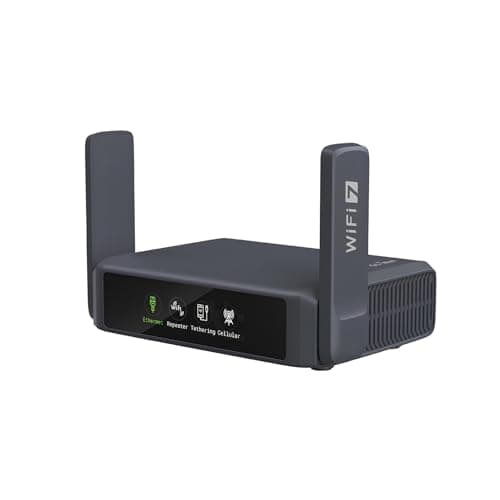
Wi-Fi 7 with a touchscreen on the lid, so the VPN goes on and off without finding the admin page.

The gadget recipient who will actually enjoy the thing
7.6
$159.99Amazon
05
TP-Link TP-Link TL-WR802N N300 Nano Router
TP-Link TL-WR802N N300 Nano Router

The cheapest honest answer: it shares one hotel login and nothing else.

A stocking filler for someone who just needs a second device online
7.6
$29.99Amazon

#ad · Live prices from the Amazon Product API, as of October 21, 2026. Where we have no verified live price, we show none — we would rather leave a gap than print a number that has gone stale.

In detail

The picks, in full

01
GL.iNet GL.iNet GL-MT3000 Beryl AX

The traveler who works from hotels and wants it to just hold

GL.iNet GL-MT3000 Beryl AX

Wi-Fi 6 (574 + 2402 Mbps)2.5G WAN + gigabit LANUSB 3.0 portOpenWrt + VPN client
8.2/10

The one to buy if you only buy one: Wi-Fi 6, a 2.5G port and a real VPN client in something the size of a deck of cards.

Usefulness
9
Portability
9
Durability
8
Value
8
Giftability
7

Good

  • The 2.5G WAN port means the router is not the bottleneck on a fast hotel or apartment line — unusual at this size
  • Runs OpenWrt, so it takes a WireGuard or OpenVPN config file and makes every device behind it use that tunnel
  • The USB 3.0 port accepts a phone tethered over cable or a USB modem, which is the fallback when hotel Wi-Fi is unusable
  • GL.iNet publishes a two-year warranty and a 30-day money-back window on its own product page

Trade-offs

  • It is a router, not an appliance: the first ten minutes are an admin page, and that is the gift's real cost
  • Needs a USB-C power source — fine from a laptop or power bank, but it is one more cable in the bag
  • GL.iNet does not publish a VPN throughput figure for this model, so the honest answer to the speed question is that we do not know

Skip it if…

…the recipient would not open a settings page unprompted. For them the problem is not the router, it is the setup, and a gift that sits in its box is worse than no gift.

$98.99View on Amazon

Price as of October 21, 2026. Prices change — Amazon's is the one that counts.

#ad · we may earn a commission from this link to GL.iNet GL-MT3000 Beryl AX

02
GL.iNet GL.iNet GL-SFT1200 Opal Travel Router

Digital nomads and long-stay hotel travelers

GL.iNet GL-SFT1200 Opal Travel Router

Dual-band Wi-FiVPN client supportPocket-sizeUSB-powered
8.4/10

Turns one paid hotel Wi-Fi login into a private network for every device they carry.

Usefulness
9
Portability
10
Durability
8
Value
8
Giftability
7

Good

  • One hotel login covers laptop, phone, tablet and streaming stick instead of one device
  • Creates their own encrypted network on top of a shared public one
  • Small and USB-powered, so it runs off a laptop or a power bank

Trade-offs

  • Set-up asks for a few minutes with an admin page — not plug-and-forget
  • Captive-portal hotel networks occasionally still need a manual workaround

Skip it if…

…the recipient isn't comfortable with a settings page. This is a brilliant gift for a technical traveler and a confusing one for anybody else.

$39.99View on Amazon

Price as of October 21, 2026. Prices change — Amazon's is the one that counts.

#ad · we may earn a commission from this link to GL.iNet GL-SFT1200 Opal Travel Router

03
GL.iNet GL.iNet GL-AXT1800 Slate AX

Families and groups sharing one hotel login

GL.iNet GL-AXT1800 Slate AX

Dual-band Wi-Fi 6, up to 1800 MbpsMU-MIMO and OFDMAUp to 120 devicesVPN client support
7.2/10

The one built for a room full of devices — the listing claims up to 120 connected at once.

Usefulness
8
Portability
7
Durability
8
Value
6
Giftability
7

Good

  • MU-MIMO and OFDMA are the features that stop a shared network falling over when six devices want it at once
  • The published 120-device ceiling is far beyond what a family needs, which is exactly the point — headroom is why it stays smooth
  • Same OpenWrt base as the rest of the line, so the VPN story is identical to the Beryl AX

Trade-offs

  • Costs meaningfully more than the Beryl AX while giving up the 2.5G WAN port — you are paying for client capacity, not line speed
  • Larger and heavier in the bag than the pocket models below it
  • The device count is a listing claim about association, not a promise about throughput — 120 devices sharing one hotel uplink is still one hotel uplink

Skip it if…

…the recipient travels alone with a laptop and a phone. Two devices do not need MU-MIMO, and the Beryl AX is the better object for the money.

$119.99View on Amazon

Price as of October 21, 2026. Prices change — Amazon's is the one that counts.

#ad · we may earn a commission from this link to GL.iNet GL-AXT1800 Slate AX

04
GL.iNet GL.iNet GL-BE3600 Slate 7

The gadget recipient who will actually enjoy the thing

GL.iNet GL-BE3600 Slate 7

Wi-Fi 7 (BE3600)Touchscreen toggles VPN / AdGuard2.5G portSlim one-inch body
7.6/10

Wi-Fi 7 with a touchscreen on the lid, so the VPN goes on and off without finding the admin page.

Usefulness
8
Portability
9
Durability
7
Value
5
Giftability
9

Good

  • The touchscreen is the one genuine usability answer in this category — toggling the tunnel stops being a laptop task
  • Wi-Fi 7 and a 2.5G port mean it will not be the slow part of the setup for years
  • The listing names hotel, cruise, RV, business trip and plane connectivity, which is the honest use list rather than a home-router pitch

Trade-offs

  • It is the most expensive pick here by a wide margin, and almost nothing a traveler does needs Wi-Fi 7
  • A screen is a thing that can break, on an object that lives loose in a bag
  • Wi-Fi 7 only pays off with Wi-Fi 7 clients, and most travelers are carrying Wi-Fi 6 laptops and phones

Skip it if…

…the budget is better spent elsewhere in their kit. The Beryl AX does the same job on the same software; this adds convenience and a spec number, not capability.

$159.99View on Amazon

Price as of October 21, 2026. Prices change — Amazon's is the one that counts.

#ad · we may earn a commission from this link to GL.iNet GL-BE3600 Slate 7

Start with the device count, not the spec

One or two devices: skip it, or buy the nano as a convenience. Three to five: the Opal or the Beryl AX, and the choice between them is how fast the lines they use are. Six or more, or a family: the Slate AX. That is the whole decision tree, and none of it involves the Wi-Fi generation on the box.

USB-powered is a travel feature

Check how the router gets its electricity before anything else. A USB-powered router runs off the laptop you are already using, off a power bank on a train, or off the second port of the charger that is already in the wall. A router with its own wall brick needs one of the two sockets that hotel rooms reliably have — the socket your laptop wanted. If the recipient does not already travel with a travel power strip, this is a real consideration rather than a detail.

What the admin page asks you for

Three things, in this order. Which network to join upstream (pick the hotel’s, enter its password or accept its portal). What to call your own network and what password to use on it — set this once and every device pairs to it for life. And optionally, the VPN configuration file from a provider. Steps one and two take about five minutes and are the only mandatory ones. If a captive portal refuses the router, the fix is the MAC-clone setting, which copies the identity of a device the portal has already seen.

Buy the VPN service separately, and later

No router here includes a subscription, and we would not pick a router for which provider it bundles. Give the router, let the recipient choose a provider if they want one, and the gift is still complete on the day: network sharing works immediately with nothing to sign up for.

What a travel router does not replace

It is not a hotspot — it has no cellular connection of its own unless you tether a phone or add a USB modem. It is not a signal booster for a weak hotel network. And it is not a security product on its own: without a VPN subscription behind it, it shares the hotel network rather than hiding you from it. For the physical side of travel security, our guide on keeping valuables safe while traveling covers the part a router cannot.
How we chose

We don't run a testing lab — and we say so

Every ranking site in this category implies a test bench. We don't have one. We compile the published specs (real dimensions, weight, capacity, TSA and cabin-size compliance), do the arithmetic a gift buyer actually cares about, pull live prices so nothing is stale, and score each pick against a published rubric. The scores are judgments from documented research — not measurements we took. Where a fact came from a manufacturer or a retailer, we name and link them in Sources.

Questions

Frequently asked

What does a travel router actually do?
It joins one network — a hotel’s Wi-Fi, a wired room port, or a tethered phone — and then broadcasts its own Wi-Fi for all your devices. Because the hotel only ever sees one device, you only log in once, and because your devices only ever see your router’s network, they stay paired with one name and password for the whole trip. On models with a VPN client it also encrypts everything behind it in one place.
Is a travel router worth it for hotel Wi-Fi?
If the traveler carries three or more connected devices, yes — the per-device login is a daily irritation it removes completely. For a laptop and a phone only, it is a convenience rather than a fix. The stronger argument is privacy: a router-held VPN covers a phone, a tablet and anything that cannot run a VPN app, which is not something a laptop app can do.
Do I need a VPN subscription to use a travel router?
No. Sharing one login across your devices works out of the box with nothing to sign up for. The VPN client is an optional layer on top, and it needs a configuration file from a paid provider. None of the routers on this page include a subscription, so if you are giving one as a gift, the recipient gets a working network-sharing device immediately and can add the tunnel later if they want it.
Will a travel router work on a cruise ship?
Sometimes, and with real caveats. Shipboard internet is satellite-fed and metered, frequently sold per device, and some lines’ terms speak to sharing a session — so check the specific line rather than assuming. A router cannot manufacture bandwidth the ship is rationing. Note separately that cruise lines publish strict rules on electrical items in cabins; our cruise packing guide covers what gets confiscated.
Is a travel router the same as a mobile hotspot?
No, and this is the most common mix-up. A hotspot has its own cellular modem and SIM, and creates internet where there is none. A travel router has no connection of its own — it re-shares a network that already exists. Some models blur the line by accepting a tethered phone or a USB modem, which is what the USB 3.0 port on our top pick is for, but the router still needs someone else’s connection to share.
Which travel router should I buy as a gift?
The Beryl AX if the budget allows and the recipient is comfortable with a settings page; the Opal if you want the same VPN capability at a normal gift price. Buy the TP-Link nano only if you know privacy is not the motivation. And if the recipient would never open an admin page, buy something else entirely — this is the one category on the site where a great product is the wrong present for the wrong person.

Keep reading

Receipts

Sources

We don't run a testing lab, and we don't pretend to. Product facts come from manufacturer spec sheets and retailer listings, which we name and link. Where we couldn't verify something, we say so on the page rather than quietly leaving it out. Read our full method.